Mobile Documents (mDocs) and Mobile Driver Licenses (mDL)
Mobile documents (mdocs) and mobile driver’s licences (mDLs) are digitally signed credentials designed to provide trusted, privacy-preserving identity verification on smartphones and other devices. Governed largely by the ISO/IEC 18013-5 and 18013-7 standards, these documents allow individuals to selectively share only the information required for a transaction—such as age, licence class, or address—while cryptographically proving authenticity and ensuring that issuers, verifiers, and holders operate in a secure and interoperable ecosystem. Because mdocs and mDLs rely on strong public key infrastructure, they enable high-assurance identity interactions across borders, both online and in-person, using secure channels such as BLE, NFC, QR codes, or device-to-device communication.
Jellyfish provides the PKI foundation needed to properly issue, validate, and manage these next-generation digital credentials. It supports issuing standard-compliant mDocs and mDLs by signing them using a trusted certificate hierarchy. Signing keys are stored on Hardware Security Modules (HSMs), which ensures keys are protected and cannot be extracted.
Mobile documents and drivers licences can be stored in the Jellyfish mobile app, available for iOS and Android. In the app, users can view their credentials and verify them by sharing QR codes.
Issuance
Mobile documents can be issued directly in the Jellyfish portal.
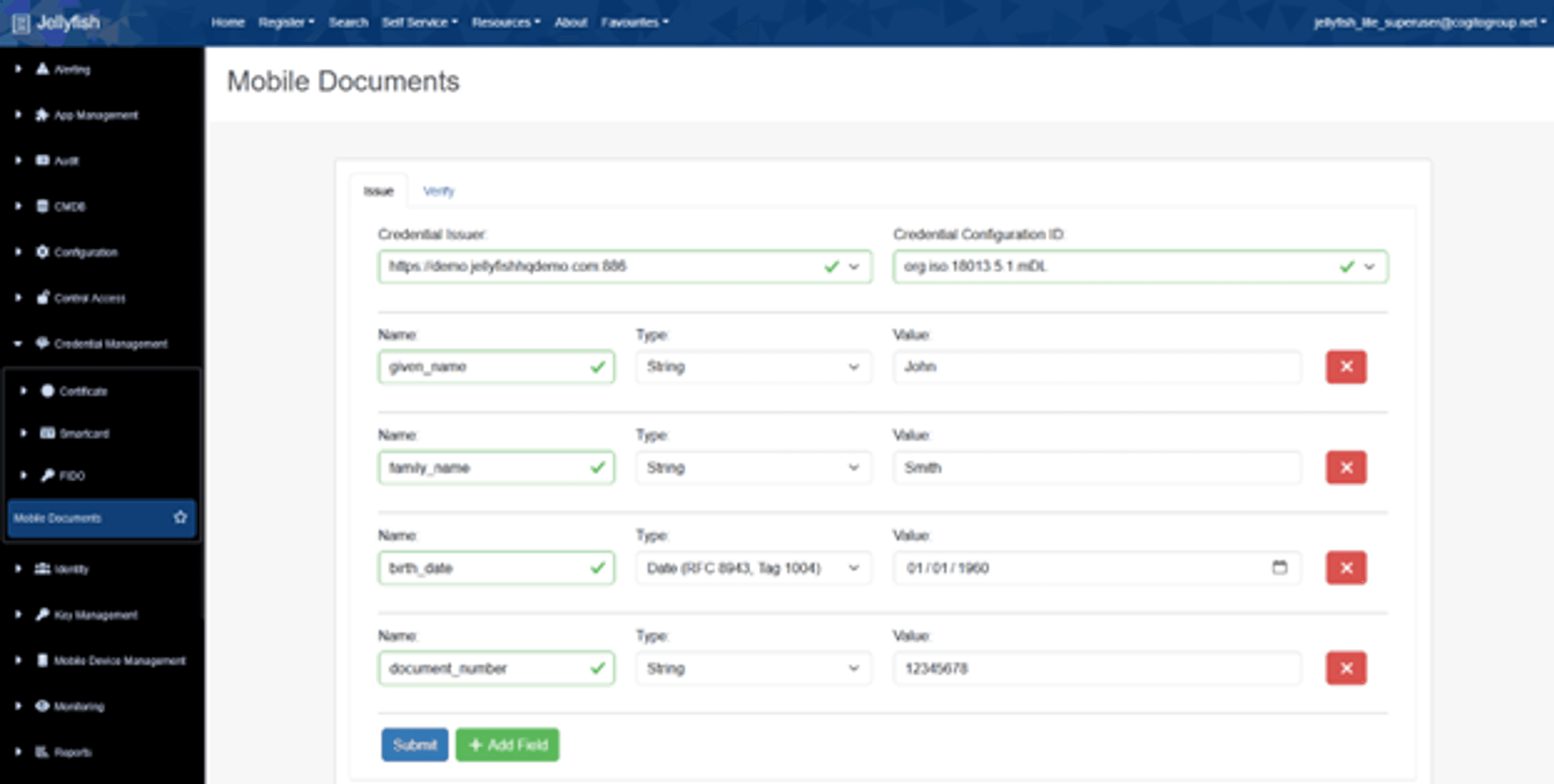
In the Jellyfish portal, navigate to the Credential Management > Mobile Documents page to issue and verify credentials. On the issuance tab, select a credential issuer and credential configuration. Jellyfish supports multiple types of mobile documents: ISO 18013-5 mobile driver licenses (mDL), as well as custom document types like access cards, library cards or photo ID cards.
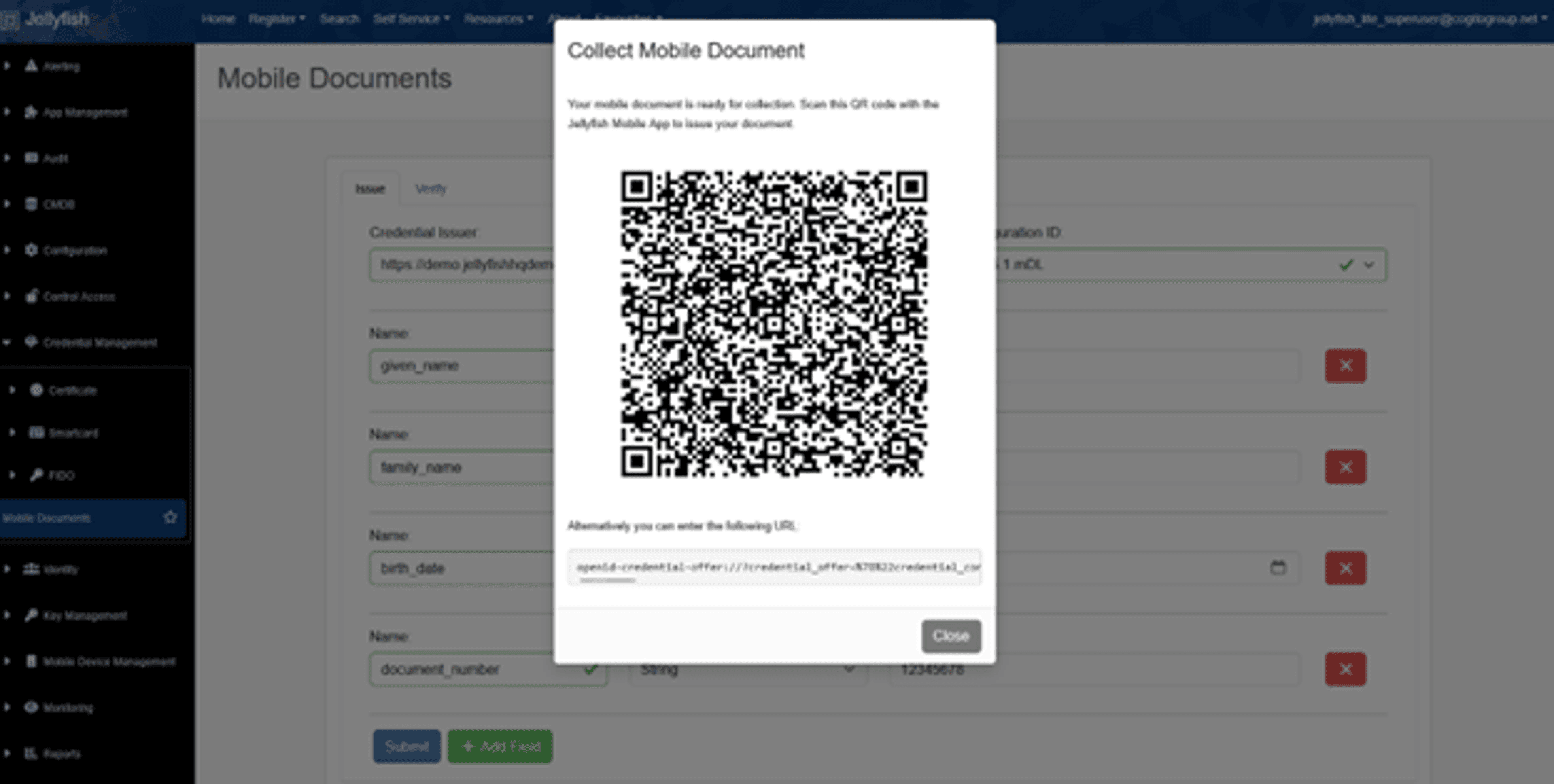
After filling out the required fields, click the “Submit” button to generate a QR code. You can scan this code with the Jellyfish mobile app, or with any other standards-compliant mobile document wallet to retrieve your credential. Jellyfish uses the OpenID for Verifiable Credential Issuance (OID4VCI) standard, which ensures interoperability between different wallet apps and credential issuers.
Verification
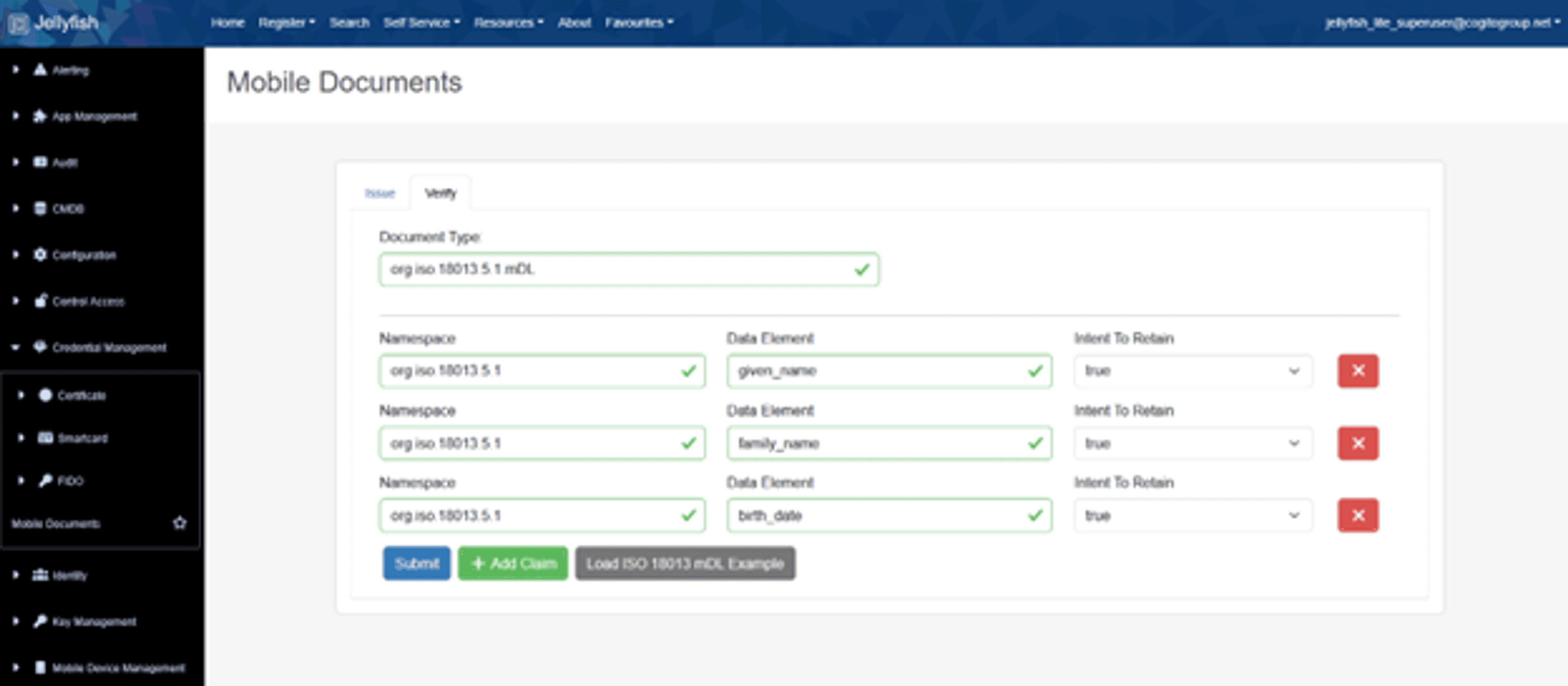
Once a mobile document has been issued, it can also be verified via the Jellyfish portal. On the Verification tab, enter the document type you’d like to validate, as well as the individual fields you require access to. When an mdoc or mobile driver license is verified, the holder doesn’t transmit the full credential. Instead, the device constructs a presentation that includes only the data elements the verifier is entitled to see—such as confirming that the user is over 18, without revealing their birthdate or address. This is achieved through redacted signatures, a mechanism defined in ISO/IEC 18013-5 that allows the holder’s device to strip out unused fields while keeping the issuer’s cryptographic signature valid.
During verification, the relying party receives only the requested attributes and a corresponding redacted signature. Using the issuer’s public keys, the verifier can confirm that each disclosed value genuinely came from a trusted authority and hasn’t been altered, even though the rest of the licence or document remains hidden. This preserves privacy while maintaining high assurance. In mdoc ecosystems supported by Jellyfish, the PKI infrastructure supplies the trusted issuer keys, certificate chains, and revocation information needed to validate these redacted signatures, enabling secure, minimal-data interactions without compromising authenticity.
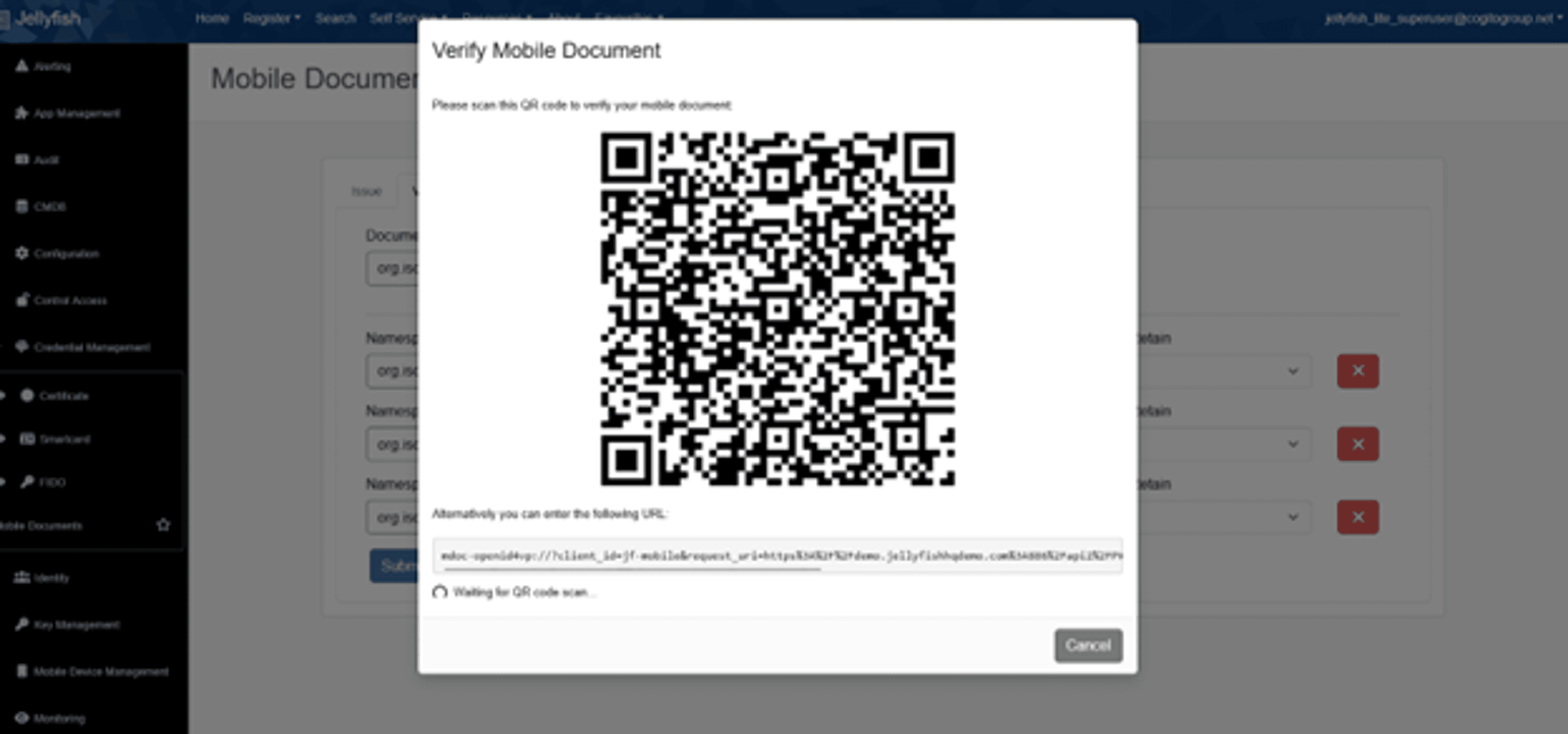
After selecting a set of claims to verify, Jellyfish will create a QR code using the OpenID for Verifiable Presentations (OID4VP) standard. Users can scan this code using the Jellyfish mobile app or another OID4VP-compatible wallet app.